How To Setup And Install iPTV

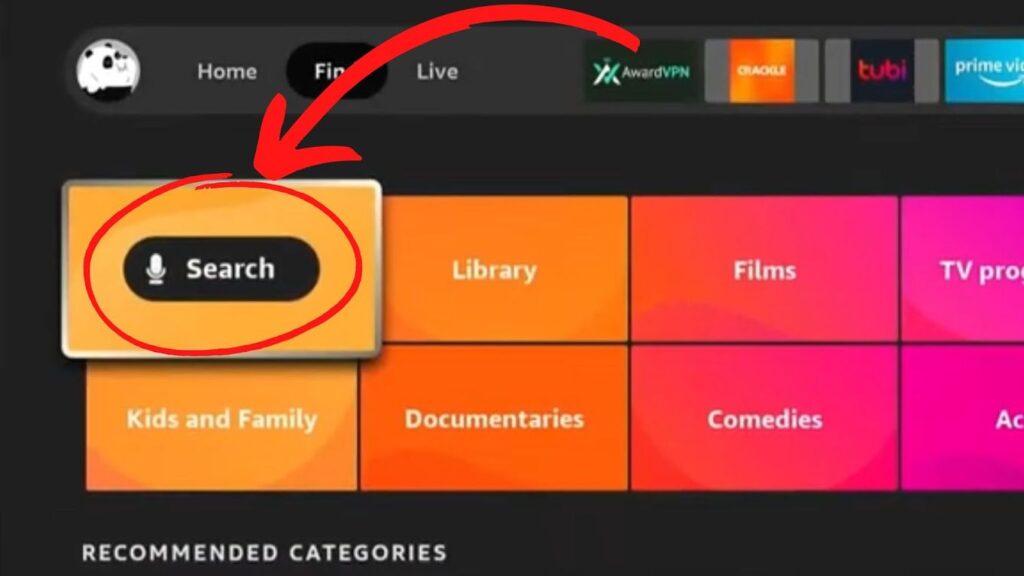
1) In the AndroidTV or Fire TV main menu, navigate to the “Search” entry and select the “Search” tile.

2) Search Xcloud TV

3) Download, enter credentials, and enjoy!

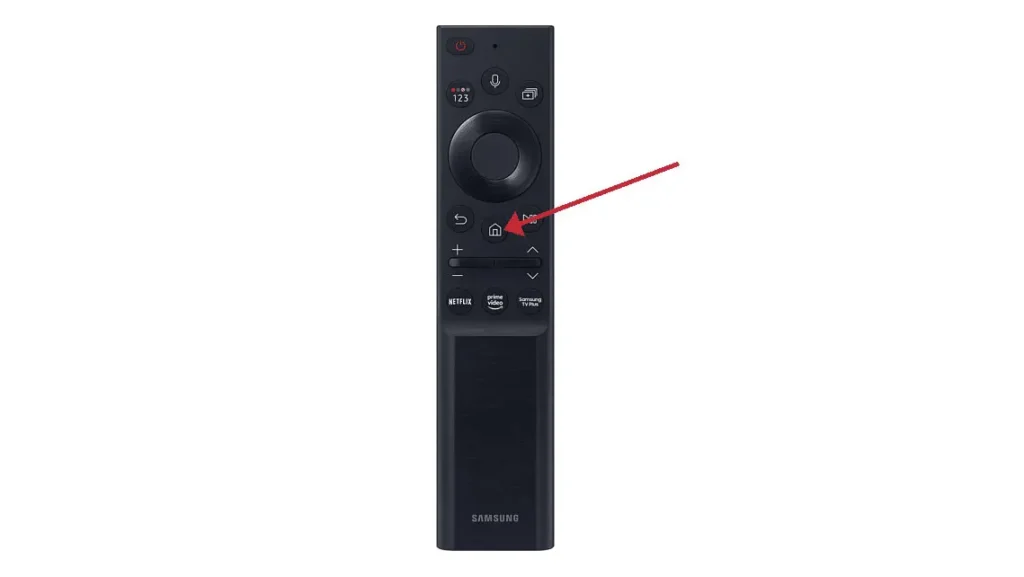
1)Press the ‘Home’ button on your remote, which is typically represented by a house icon or a 3D cube

2) Navigate to the ‘Apps’ section and search for XcloudTV. Once you find the app, select it and proceed with the installation.”

3) After the installation is finished, launch the Xcloud TV app by selecting ‘Open,’ then enter your login credentials to get starte

1)Download and install Xcloud TV 

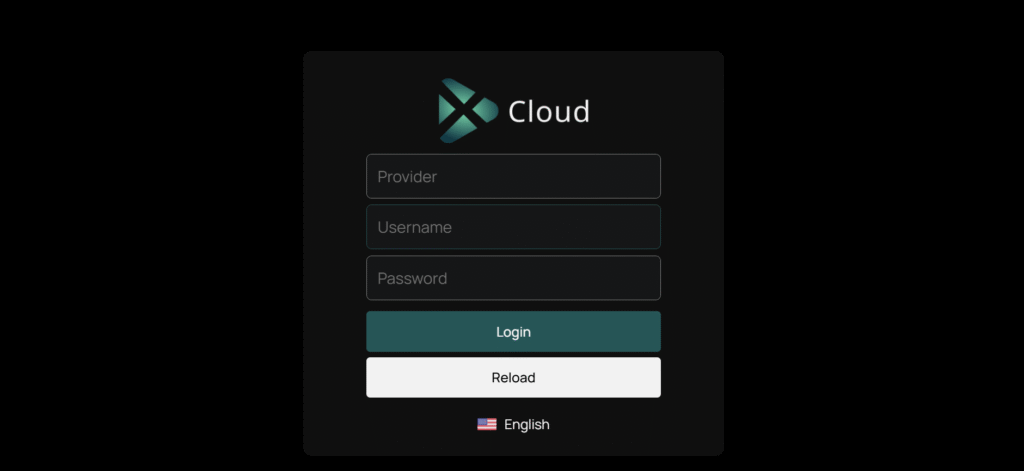
2) After that simply start and enter your login details:

Provider: CouchriderTv (case sensitive)

Username: Check your email

Password: Check your email


3) You are free to use any player of your choice, but please be aware that most come with an additional charge. We provide our player free of charge for all our customers.


4) If you have any issues getting set up, contact us at Support@couchrider.com

1)Download, install Xcloud TV.


2) After installation, simply log in with your access data (user name and password).